Appearance
Engaging Masks
Engaging Masks control the visual effects shown during the photo-taking process. Use them when your client experience benefits from more engaging capture feedback. They are enabled by default and can be disabled through the effects attribute as shown below:
html
<hautai-liqa license="LICENSE_KEY" effects="false"></hautai-liqa>javascript
new Liqa({
  target: "#selector",
  license: "LICENSE_KEY",
  effects: false,
})
How it works
- Engaging masks are only rendered by the
facepreset. Other presets show no capture effects, so theeffectsattribute is ignored there. - When engaging masks are enabled, the regular 3-2-1 countdown before taking a photo is disabled.
- The first effect activates when the face is detected and correctly positioned within the frame.
- The second effect activates when all validation requirements are met and LIQA is ready to take a photo.
Affected APIs
- Styles: the
.live-video .countdownselector is ignored while engaging masks are active. - Presets: capture behavior still follows the selected preset, but enabled masks replace the visible countdown feedback.
Performance-Based Control
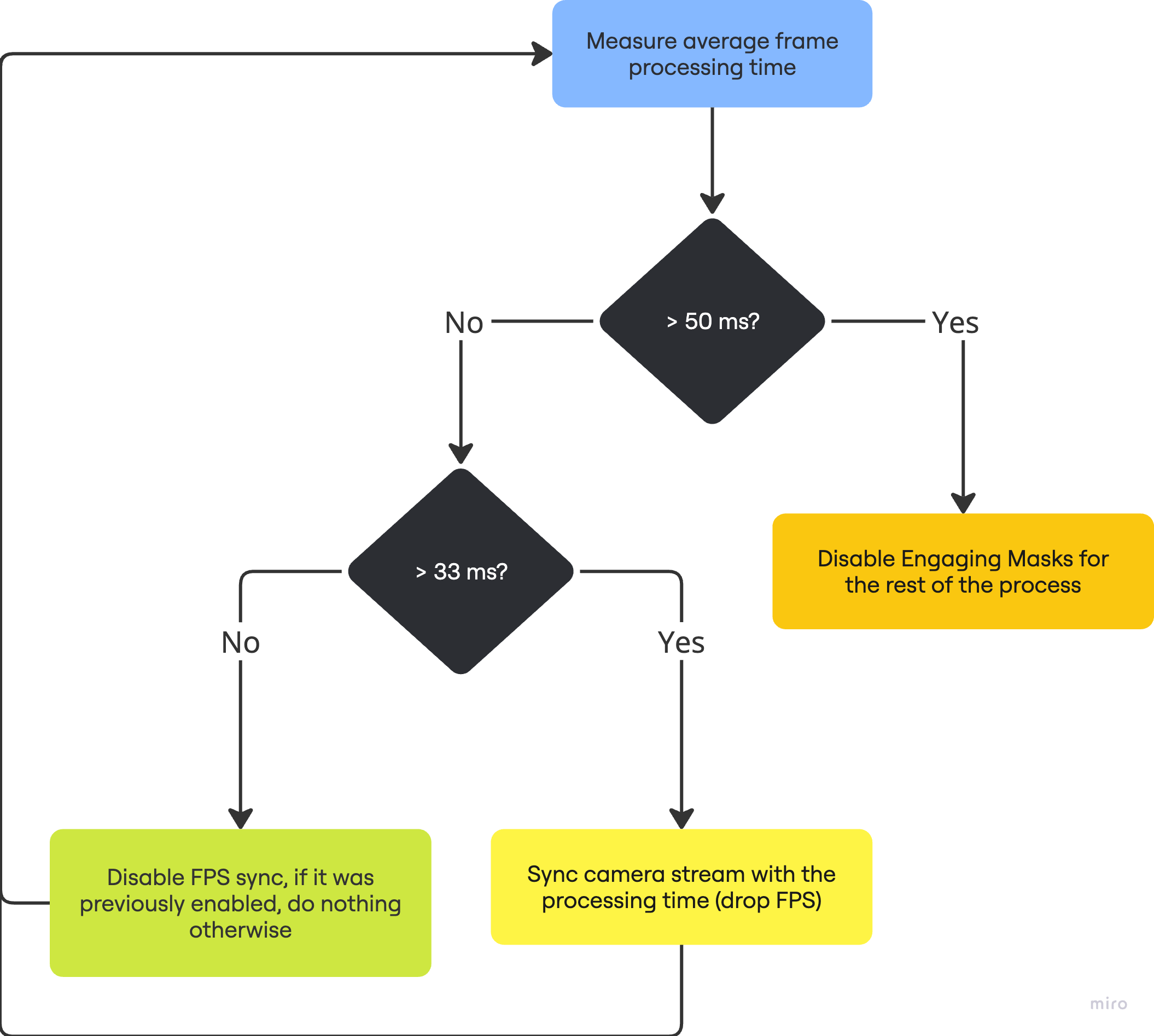
When effects are enabled, LIQA monitors device performance to manage mask rendering. If the device does not meet the required performance standards, LIQA disables masks automatically so capture remains responsive.
- If the device cannot maintain a frame rate above 20 FPS during video processing, engaging masks will be disabled.
- For devices operating between 20 and 30 FPS, the video stream FPS will be synchronized with the frame processing time, resulting in a reduced video stream FPS.
- Devices capable of processing video at rates exceeding 30 FPS will experience no changes, and the application will function as usual.